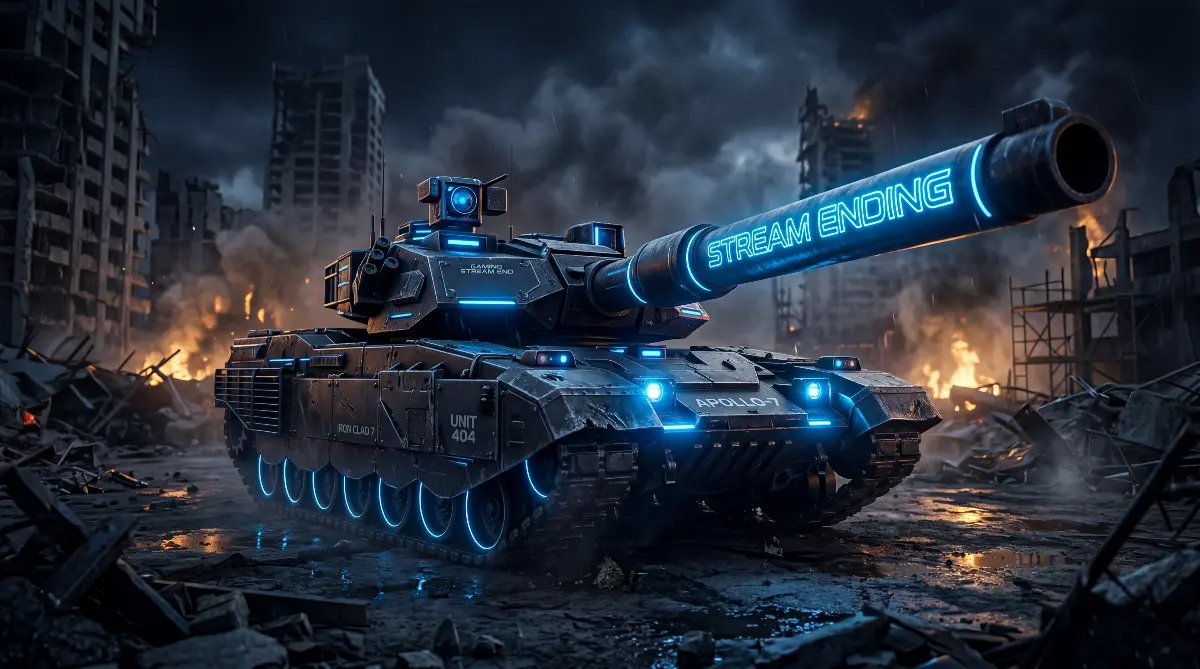
Most streamers spend dramatically more design effort on their Starting Soon screen than on their Ending screen, and the math behind that is wrong. The Starting Soon screen sets the mood for viewers who are already there. The Ending screen is the last image those viewers carry away from your channel. Whatever they do next - follow, sub, raid, drop a tip, share a clip, come back tomorrow, or never return - is shaped disproportionately by how the stream closes, consistent with the well-validated peak-end rule from Kahneman and Fredrickson's research on how people remember experiences: the final moments carry weight far beyond their share of total time.
This is also the moment where most channels leak the most goodwill. A stream ends with a generic "thanks for watching" card, the streamer waves, the screen fades to black, and a meaningful percentage of viewers who would have followed if they had been told to follow simply do not, because no one asked them to. The Ending screen is your chance to ask, and the design of that ask is what separates ending screens that build channels from ending screens that just close them.
This guide covers what an Ending screen is actually for, what should go on one, the seven things the best stream ending screens have in common, the technical specs that work, and how the best streamers in 2026 use the closing minutes to compound everything else they have done in the stream.
- What an ending screen actually does
- The three jobs of a great ending screen
- What to put on an ending screen
- Seven traits the best ending screens share
- How long the ending screen should run
- The raid signal: how the ending sets up the next streamer
- Size, format and technical specs
- Six common ending screen mistakes
- The takeaway
What an ending screen actually does
An Ending screen is the full-screen scene that takes over your stream during the closing minutes, replacing or layering over your gameplay and webcam feed as you wrap up. Most streamers run it for somewhere between 60 seconds and 5 minutes while they say goodbye, plug their next stream, raid another channel, or otherwise close out the session.
It sits in a different category from your Starting Soon, BRB, Intermission and Offline screens. Each of those screens serves a single moment with a specific job (set the mood, hold attention during a break, fill the page when offline). The Ending screen is the only one that has a directly conversion-focused role: it is the final ask. Everything that happens after a stream ends - viewer following, subscribing, sharing, returning, raiding - is shaped by what they see in the last few minutes.
The three jobs of a great ending screen
A well-designed ending screen does three jobs at once. Each one matters, and skipping any of them leaves a meaningful percentage of viewer-conversion on the table.
Job 1: Make the ask
Tell the viewer what to do next. Follow, subscribe, drop a like, share, leave a comment, find you on YouTube, join the Discord. The Ending screen is the only moment in your entire stream where this kind of explicit ask reads as natural rather than annoying. Use it. The viewers who would have considered following but did not are mostly the ones who were not asked.
Job 2: Set the next visit
Tell the viewer when you stream next. "Back tomorrow at 8pm GMT", "See you Friday", "Same time next week". A stream that ends with no future-anchor leaves the viewer with no reason to come back at any specific time, which means they will probably not come back at any time at all. A stream that ends with a clear "I'll be back Wednesday" gives the viewer a slot in their mental schedule.
Job 3: Send the audience somewhere
Where they go after your stream ends matters. The two best targets are: (1) another streamer via raid, which is good for the streaming ecosystem and earns you reciprocal raids, or (2) your own off-platform content - your YouTube highlights channel, your TikTok, your Discord, your podcast. Either way, the audience that follows you off your closing stream is the most engaged audience you have. Sending them somewhere productive compounds.
What to put on an ending screen
| Element | Purpose | Priority |
|---|---|---|
| "Thank you for watching" or equivalent | Closes the emotional loop | Essential |
| Logo / channel name | Final brand impression | Essential |
| Follow / subscribe call to action | The ask | Essential |
| Next stream date or schedule | Sets the next visit | Essential |
| Social handles (3-4 platforms) | Cross-platform follow | Strongly recommended |
| Discord invite | Community door | Recommended for growing channels |
| Recent followers / subs ticker | Final social proof | Optional |
| Top supporters of the stream | Acknowledges loyalty | Optional - good for retention |
| Outro music sting | Audio close | Strongly recommended |
The hard limits are the four "essential" rows. Everything else is up to you and depends on how long your ending screen runs. A 60-second ending screen probably should not try to fit everything in this table; a 3-minute one can.
The "follow" call to action should point toward where Twitch's actual follow button sits — which on desktop is below the video player, in the channel info bar to the right of the streamer name and avatar, and on mobile is above-and-near the streamer's name at the top of the channel page (not in the video frame itself). A CTA designed with a directional cue toward that real button is consistent with broader conversion-rate research showing directional cues improve click-through. CTAs floating in the dead centre of the frame have nothing to point at.
Seven traits the best ending screens share
One clear primary call to action
The best ending screens have a single dominant ask, not five competing ones. "Follow if you enjoyed" is one CTA. "Follow on Twitch and YouTube and TikTok and Twitter and join Discord and check out my Patreon" is six CTAs and converts on none of them. Pick the most important action you want viewers to take and design the screen around it. Other actions can appear as secondary, smaller elements.
The schedule is large enough to read in 3 seconds
Most viewers watching the ending screen are doing something else with one eye on the stream - lighting a cigarette, switching tabs, picking up their phone. The schedule has to be readable in a glance. "Mon Wed Fri 8pm GMT" in 64-pixel type beats "Streaming Mon, Wed and Fri evenings at 8pm British Summer Time, occasionally Sundays for variety content" in 24-pixel type every single time.
Visual continuity with the rest of the channel
The Ending screen is the closing chapter of a stream that lived in a specific visual world. If your Starting Soon screen is a cinematic 3D environment and your Ending screen is a flat coloured background with text, the closing feels like a different show. The best ending screens take place in the same world as the rest of the stream's visuals - the same room, the same lighting, the same colour palette. For more on coordinating these scenes as a set, see our guide on building a cohesive stream brand.
A subtle reverse of the Starting Soon mood
The strongest ending screens feel like the natural close of the same scene the stream started in. If the Starting Soon scene was a sunset gradually deepening, the Ending scene is the room after dark with a single warm lamp. If the Starting Soon was a tactical war room with the lights coming up, the Ending is the same room with the screens powering down. This visual rhyming makes the entire stream feel like one cinematic arc rather than three unrelated scenes stitched together.
Webcam still visible during the wind-down
Most viewers want to hear the streamer say goodbye in their own voice. An Ending screen that completely replaces the webcam feed loses the human moment. The best Ending screens leave a webcam frame somewhere in the composition, often smaller than during gameplay, while the rest of the screen gives space to the closing visuals and CTAs. The streamer's face wraps the stream up, the visuals carry the brand. Both matter.
A clear final beat or stinger
Great Ending screens do not just fade out. They have a distinct closing moment - a logo flash, a final lighting shift, a particle release, a music sting that lands on a specific frame. This gives the stream a real ending, the way a film has a specific final shot rather than just running out of footage. Viewers remember endings that feel intentional. Endings that just stop feel unfinished.
The brand mark is the last thing on screen
Whatever happens during the Ending screen, the final image before the stream actually closes should be your logo, channel name or signature visual mark. This is the last thing the viewer sees, and the last image is what they carry into their next 24 hours of consuming other content. A clean final brand frame compounds for free. A cluttered final frame is a missed opportunity.
How long the ending screen should run
There is genuine variation in what works here, but a few useful reference points:
- 30 to 60 seconds works for a tight, professional close where you say goodbye and roll credits. Best for shorter streams (under 2 hours), gameplay-focused channels, or streamers who want a clean exit.
- 2 to 5 minutes is the sweet spot for most established streamers. Long enough to thank top supporters by name, plug the next stream, raid another channel, and give viewers time to follow. Short enough that the audience does not drift away.
- 5 to 10 minutes works for community-focused channels with strong outros - long Q&A goodbyes, schedule reveals, sub-only segments, raid trains. Risk: viewers who would have followed in the first 90 seconds drift away before the ask lands.
- Over 10 minutes is almost always too long. The ending screen has effectively become its own stream segment, and the conversion intent gets diluted.
If you are unsure, default to 2–3 minutes for tight, conversion-focused closes, or 5–10 minutes if you are running a community-style stream with a stronger goodbye ritual. Both ranges are common in 2026; the right answer depends on what your audience expects from your close.
The raid signal: how the ending sets up the next streamer
Twitch raids - where you redirect your audience to another live channel as you close out - are one of the most undervalued features of the platform. A good raid does three things simultaneously: it gives your audience somewhere to go that you have personally vouched for, it gives the receiving streamer a real audience boost, and it builds reciprocal goodwill that often comes back to you on a future raid. The mechanic itself is short: when you fire /raid [username], viewers see a 10-second countdown before they're moved over. That 10-second window is exactly how much runway your raid card has on screen, which is worth designing around.
The Ending screen is where the raid lives visually. The best ending screens build in a visible "Raiding [streamer name]" moment - a name card, a portrait, a brief animation that introduces the raid target with respect rather than treating it as a checkbox. This is also a moment where your visual brand quietly pays off: a raid that arrives with a beautifully designed announcement frame says something about your channel before the new audience even meets you.
Raid card design is its own small art form. The clean version: a few seconds of "We're raiding [name]" in your channel's typography, with a clear visual transition into the closing brand frame. Many designers prefer to keep these cards minimal — just the name and a clean transition — on the principle that the receiving channel will introduce itself and the raid card's job is the handoff, not the sales pitch. Other channels go fuller (portrait, logo, schedule). Both work; pick the level that matches the rest of your channel's visual language.
Two related Twitch features worth knowing about, since they affect what you might do at end-of-stream:
- Shoutouts (
/shoutout [channel]) are not raids — they post a chat card with the streamer's name, a Follow button, and their schedule, but they do not move your audience anywhere. Useful for a name-drop during the close; not a substitute for the raid handoff. - Stream Together (launched August 2024), Shared Chat (September 2024) and Auto Clips (announced TwitchCon San Diego, October 2025) are newer collaboration tools that widen the menu of how you can hand attention to other streamers — co-stream a goodbye segment, share chat between channels, automatically generate clips from the closing minutes for distribution. They don't replace the raid, but they're worth knowing exist when you're designing the end of a stream as a coordinated moment rather than a single button press.
Raid and handoff features on other platforms
If you stream on Kick, YouTube Live, or TikTok Live, the raid mechanic is not the same and your ending screen design has to account for the differences:
- YouTube Live Redirect is YouTube's raid equivalent. Available to channels with 1,000+ subscribers, it sends viewers to another live channel when your stream ends. The receiving channel must opt in (whitelist of up to 100 channels, plus auto-permission for mutually-subscribed channels). Crucially, there is no on-screen countdown animation — viewers are simply redirected at the end. Your ending screen has to do its CTA work without that 10-second handoff window.
- Kick has hosts — fire
/host [username]and viewers are redirected to the host channel when your stream ends. Requirements: both streamers live, host channel has at least 5 active viewers, and the host channel is Affiliate or Partner. Like YouTube, there is no animated countdown; the redirect happens immediately. Same design implication: no countdown window for a raid card animation to land. - TikTok Live has no native raid, host or audience-redirect feature. When a TikTok live ends, the app cuts to the For You feed and the algorithm picks what comes next. The closest TikTok equivalents are simultaneous collaboration formats (Co-host, LIVE Match / PK battles, multi-guest rooms), which run during the stream, not at its close. For TikTok mobile-native streamers, the ending screen convention essentially does not exist — you say goodbye, the stream ends, the algorithm takes the viewer.
The practical takeaway: if your audience lives on Twitch, design the raid card for the 10-second countdown. If you stream on Kick or YouTube, the raid card should function as a static "where I'm sending you next" frame that does its job without a countdown. If you stream on TikTok Live, focus the close on the follow ask and the schedule rather than the handoff.
Size, format and technical specs
The technical specs for an Ending screen are essentially identical to the Starting Soon screen specs covered in our full sizing guide. The short version:
| Setting | Recommended value |
|---|---|
| Resolution | 1920 x 1080 or 2560 x 1440 (1440p preferred where hardware allows; downscales to 1080p with visibly cleaner results, and matches Twitch's Enhanced Broadcasting 2K beta natively) |
| Aspect ratio | 16:9 |
| Frame rate | 60 fps for animated, 30 fps acceptable for low-motion, 24 fps fine for cinematic outros |
| File format | MP4 (H.264) for opaque, WebM (VP9) if transparency needed |
| Loop length | 30 to 60 seconds, seamless |
| Audio | SFX embedded, music separate (run background music as its own OBS source) |
| Safe zone | Middle 80% of frame for critical text |
One difference from Starting Soon: ending screens often need to accommodate a webcam frame in the composition (Trait 05), so the design has to leave a clear, visually defined space for the webcam to live. This is harder than designing a full-bleed scene with no webcam allowance, and it is a small but real reason ending screens often look weaker than starting screens when commissioned cheaply - the designer did not account for the webcam slot. For getting these files playing cleanly in OBS, see our OBS setup guide.
Designing for vertical / Dual Format
If you are streaming with Twitch's Dual Format (rolled out from 2025 via Enhanced Broadcasting, with Aitum Vertical, Streamlabs, Meld Studio and StreamElements as the OBS-side compositing tools), or multistreaming to TikTok Live, Kick mobile, or YouTube vertical, you need a second ending screen built natively for 9:16. A 16:9 ending screen will not crop cleanly to portrait — anything you placed on the left or right edges of the frame (raid card, follow CTA, social handles, schedule) will be cropped out or covered. Build the vertical version as a separate composition with the streamer's webcam in the upper third, the brand mark and primary CTA in the middle, and the schedule/socials at the bottom. Most professional commissions in 2026 deliver both versions as a coordinated set. If you commission custom work, ask whether the ending screen ships with both 16:9 and 9:16 variants by default.
Six common ending screen mistakes
1. Not actually asking for the follow
The most expensive mistake. The Ending screen is the only natural moment to ask for a follow without it feeling thirsty. Skipping the ask leaves real follower growth on the table every single stream.
2. Burying the schedule
If your schedule is set in tiny text in a corner, viewers will not register it. The schedule should be readable in 3 seconds from across a room, on a phone screen, with one eye looking elsewhere. Make it big.
3. Designing it to be beautiful rather than functional
An Ending screen that wins a design award but does not include a clear CTA, a clear schedule, or a clear next-step is a failure of purpose. Beauty serves conversion here, not the other way around.
4. Treating it as a separate visual identity from the rest of the stream
An Ending screen that looks like it belongs to a different channel kills the cohesive-brand effect that custom visual investment is supposed to deliver. The Ending screen is the closing chapter of the same world the stream began in.
5. Replacing the webcam entirely
Viewers want to hear the streamer say goodbye. An Ending screen that fully takes over the screen and reduces the streamer to disembodied audio loses the human moment that closes the relationship. Leave space for the cam.
6. Letting it run too long
If your Ending screen runs for 12 minutes, the followers you would have earned in minute 2 have already left. The ask works best when it lands while the audience is still emotionally engaged with the stream that just happened. Keep it tight.
The takeaway
The Ending screen is the only directly conversion-focused visual on your stream, and it is the one most channels underinvest in. The best ending screens make a clear ask, set the next visit, send the audience somewhere productive, share visual continuity with the rest of the channel, and end on a clean final brand frame. None of these are technically difficult. They are mostly intentionality decisions made before a single design asset is commissioned.
If your current Ending screen is a "thanks for watching" card with no schedule, no CTA, and no visual relationship to the rest of your stream, replace it. The compounding return on a properly designed ending screen - over months and years of streams - is one of the highest-leverage upgrades a channel can make. The design cost is one-time. The conversion lift is permanent.